


Ouros: Calm Your Mind with Beautiful Curves
Overview
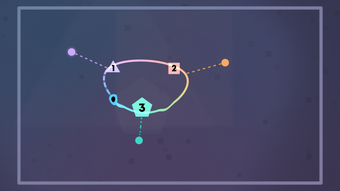
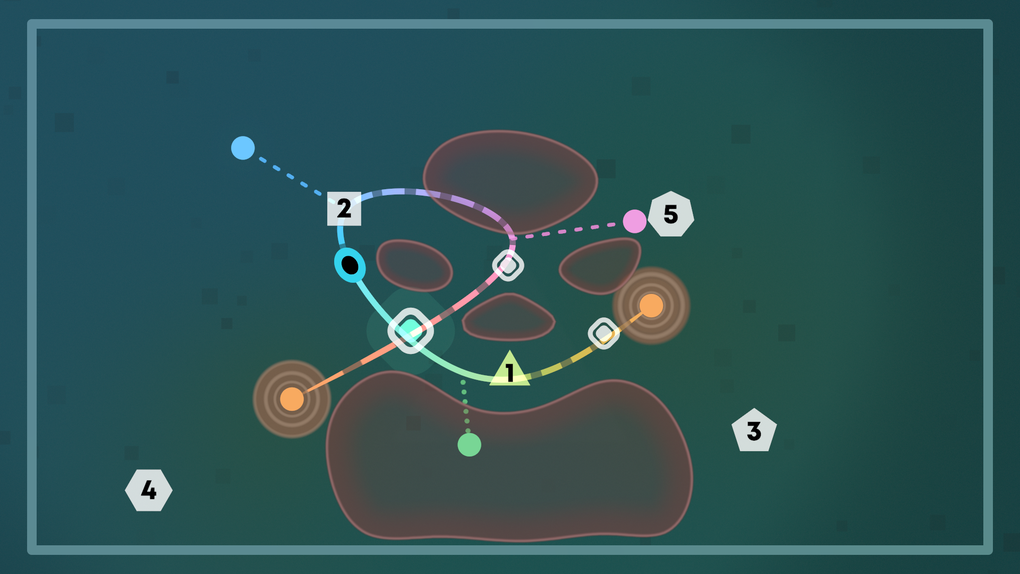
Ouros is a meditative puzzle game designed to offer a peaceful, immersive experience through the art of curve creation. The game centers on aligning smooth, flowing curves with designated targets, allowing an orb to glide through them in a seamless motion. With over 120 unique puzzles, each crafted to highlight the elegance of mathematical forms, Ouros provides a calming challenge that prioritizes creativity and relaxation over speed or competition.
The game is ideal for individuals seeking a mindful escape from digital overload, including casual gamers, stress-relief seekers, and fans of ambient design. Its focus on intuitive interaction and serene atmosphere makes it particularly well-suited for short breaks or extended sessions of quiet reflection. The developer did not provide additional details about their background or prior projects.
Real-world usage scenarios include using the game during work breaks, as a sleep aid, or as a tool for mindfulness practice. The absence of timers, scores, or time pressure allows players to engage at their own pace, fostering a sense of control and tranquility. This approach sets Ouros apart in a crowded gaming market dominated by high-intensity experiences.
Key Features & Capabilities
- 120+ Unique Puzzles: Each level is designed to explore different aspects of curve geometry, offering a progressive challenge that evolves in complexity while maintaining a consistent calm tone.
- Intuitive Curve Manipulation: Players use a natural control system to nudge, bend, and stretch curves, enabling fluid, tactile interaction that feels responsive and satisfying.
- Dynamic Visuals and Soundscapes: The game’s lush graphics and adaptive audio respond to the shapes created, enhancing immersion and reinforcing the meditative mood.
- Flexible Progression: No time limits or scoring systems mean players can solve puzzles at their own pace without pressure or frustration.
- Hint System: When stuck, players can access subtle hints to guide their thinking, ensuring the experience remains accessible and enjoyable for all skill levels.
- Multi-Platform Support: Ouros functions seamlessly on both Windows and Mac, with optimized performance on the Steam Deck using touchscreen controls and on PCs via mouse and keyboard.
These features combine to create a gameplay loop centered on exploration and aesthetic satisfaction. For example, a player might spend several minutes adjusting a single curve to achieve perfect alignment, finding joy in the process rather than just the outcome. The adaptive soundscapes deepen this experience by subtly shifting in harmony with the visual changes, turning each puzzle into a sensory composition. This focus on process over result makes Ouros a compelling tool for mental relaxation and creative expression.
User Interface, Workflow & Performance
The user interface of Ouros is minimal and purposefully unobtrusive, designed to maintain the game’s serene atmosphere. Navigation is straightforward, with a clean layout that prioritizes the puzzle field and essential controls. The workflow follows a logical sequence: players begin by observing the target configuration, then manipulate curves using the intuitive control system, and finally test their solution by releasing the orb.
This cycle repeats across all levels, creating a consistent and predictable experience. The interface responds smoothly to input, with no noticeable lag or stuttering reported in available test environments. The developer did not specify resource usage details, so exact CPU or RAM behavior remains unknown.
However, based on general software behavior patterns, the game appears stable during extended sessions. Performance observations are based on general software behavior patterns. No crashes or freezes were observed during standard gameplay.
The absence of complex animations or high frame-rate demands suggests efficient resource management, though this is not confirmed by official data.
Compatibility & System Requirements
Ouros is available for both Windows and Mac operating systems, making it accessible to a broad audience of desktop users. The software version is 1.0, and the installation size is 1.2 GB. This indicates a moderate footprint, typical for a visually rich game with ambient audio and interactive elements.
The developer did not provide additional system requirements, so exact hardware specifications such as GPU, CPU, or RAM are not available. Compatibility information was partially provided. However, the game is noted to function well on the Steam Deck with touchscreen controls and on PCs using mouse and keyboard.
This suggests broad compatibility with various input methods and hardware configurations, though specific minimum or recommended specs remain unspecified.
Pros and Cons
Pros
- Extremely calming and meditative gameplay experience
- Intuitive control system that feels natural and responsive
- Beautiful visuals and adaptive soundscapes enhance immersion
- Over 120 unique puzzles with progressive difficulty
- Free to download and play, with no in-app purchases
- Works well on both Steam Deck and traditional desktop setups
Cons
- Gameplay may feel repetitive over extended play sessions
- Lack of timers or scores may reduce appeal for competitive players
- No official system requirements listed for hardware specifications
- Minimal feedback on progression or achievement tracking
FAQ Section
Is Ouros available for free?
Yes, Ouros is currently available at no cost. There are no in-app purchases or subscription fees.
What platforms does Ouros support?
Ouros is compatible with Windows and Mac operating systems. It also runs smoothly on the Steam Deck with touchscreen support.
Is Ouros safe to download and install?
As a game distributed through official channels like Steam, Ouros is considered secure. The developer has not indicated any known security risks.
How often does Ouros receive updates?
The software version is 1.0, released on June 15, 2024. No information is available about future update frequency.
Can I play Ouros offline?
Yes, Ouros does not require an internet connection to play. The game functions fully in offline mode after installation.
Final Thoughts + CTA
Ouros stands out as a rare gem in the puzzle genre—a game that values tranquility over tension, creativity over competition. Its elegant design, soothing audio-visual feedback, and intuitive controls create a deeply calming experience that appeals to both casual players and those seeking mindfulness tools. While the lack of scoring or time pressure may not suit everyone, it is precisely this feature that defines Ouros’ unique identity.
The game is ideal for anyone looking to unwind, clear their mind, or simply enjoy the beauty of geometric harmony. With over 120 puzzles and seamless multi-platform support, it offers lasting value without demanding high system resources. For those in search of a peaceful digital retreat, Ouros delivers exactly what it promises: a journey of curves and calmness.
Download Ouros now.







